01
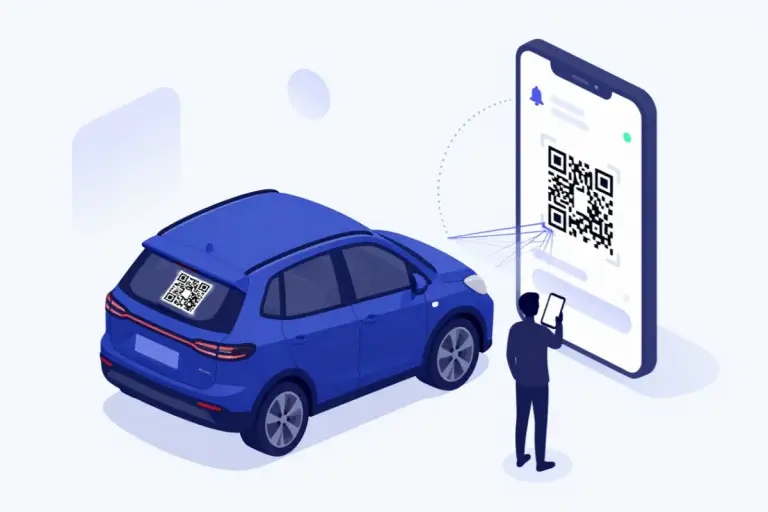
The owner creates their QR
They sign in, add their car, and generate a secure QR code unique to that vehicle.
Loading…
We use a few essential cookies
CarQR uses essential cookies for security, language preference, and abuse protection. No data sale, no third-party trackers. Read the Cookie Notice.
CarQR is a QR-based vehicle alert system that lets people notify a car owner without sharing a phone number. The owner puts the QR code on the window; a scanner sends a ready-made lights, window, parking, or damage alert without installing an app. The account number stays private; an optional vehicle contact number appears only with explicit consent.
Start free · Works on iPhone and Android
Your number stays yours
Your account and sign-in number is never shown automatically. Only a vehicle contact number you separately enter and explicitly approve may appear.
No app to download
Anyone who wants to reach your car just scans the QR, picks an alert, and sends it.
No open chat
Instead of uncontrolled messaging, only short, safe, predefined alerts are used.
On iPhone or don't want to install an app Use the web app
Tap "Open in browser" above. No install needed. You don't need to share your phone number, email, or any personal info. Sign in, generate your vehicle QR, done.
Guided flow
The owner adds a vehicle in CarQR, creates a QR code that contains no personal data, and places it on the window. A scanner uses their phone camera, picks a ready-made alert without installing an app, and passes a security check; CarQR then notifies the owner. The account phone number is not shared by default.
They sign in, add their car, and generate a secure QR code unique to that vehicle.
The QR code goes inside the window, on a sticker, or anywhere it's easy to see. It holds no personal data, just a secure redirect link.
Whoever scans the QR picks one of the ready-made alerts, passes a security check, and the notification reaches the owner.
Privacy first
A CarQR vehicle code contains no name, phone, email, plate, payment, or address data; it opens only a random vehicle-specific link. The scanner sends a ready-made alert and the owner receives an app notification. The account phone stays hidden, while an optional vehicle contact number is published only after separate entry and explicit consent.
Whoever scans cannot see your account phone, email or private profile. Only a vehicle contact number you explicitly consent to publish may appear.
The QR code carries only a public link unique to the car. It contains no phone, email, plate, payment, or address data.
There's no open chat; only predefined ready-made alerts are sent. That keeps the system safe for both the owner and the sender.
How CarQR works
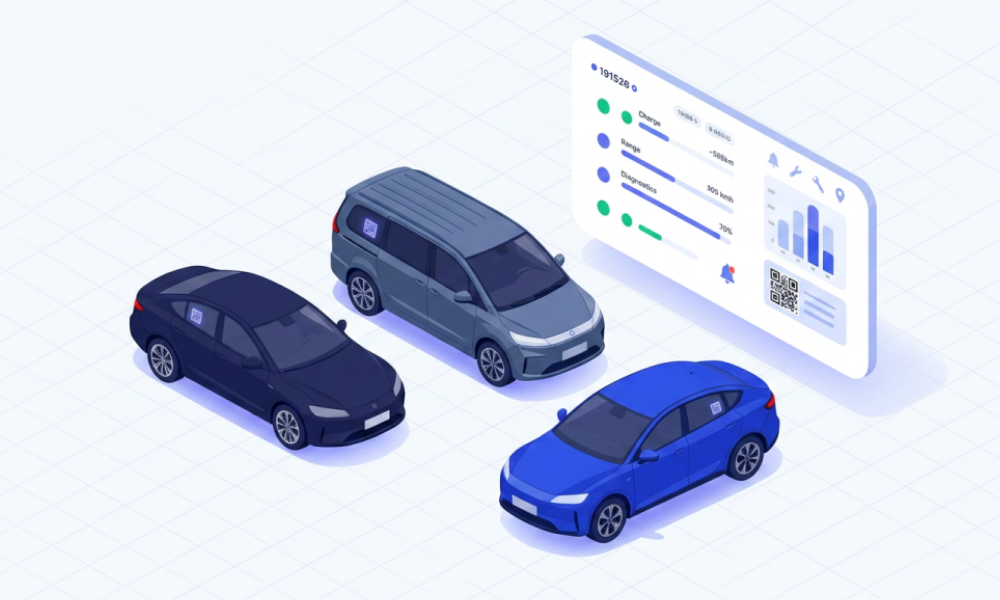
We kept CarQR simple for both the owner and the person trying to reach the car. The owner gets a notification; whoever scans the QR sends an alert safely, without downloading an app. For businesses, the same idea scales into multi-vehicle management.
The person scanning
The person next to your car scans the QR, picks the right alert, and sends it. No app to download, no sign-up, and no need to call you.
Fast for the stranger, controlled by you. Only you can enable an optional vehicle number with separate explicit consent.
The car owner
You see incoming alerts in the app, manage your car and QR code, track your notification history, and use premium features.
Without sharing your number, you get the important alerts about your car on time.
Businesses
For rent a car, valet, parking, site management, and fleet operations, incoming alerts are routed to the right car, the right person, and the right team.
Business needs are handled in a separate package; personal use stays simple.
When someone notices something about your car, you get a notification. No waiting on email, no missed calls, no leaving your number on the windshield. Just keep notifications on.
Alerts come straight to your phone. There's no public inbox, shared contact form, or visible profile.
Whoever scans the QR opens a short web page, picks an alert, and sends it. No signup, no app, no unnecessary tracking.
Package structure
We split CarQR into two tracks: simple, practical packages for individual drivers, and a separate operations package for businesses managing multiple vehicles. That way everyone uses only the setup they need.
Entry package. You handle the print job; we hand you the digital QR as PDF and SVG.
Free
No card required
Best for
Drivers who want to try the system for free and are happy to print their sticker themselves.
Boundary
No physical sticker shipment, no car scent, no advanced customization, no extra vehicles. Those live in Premium and Ultimate.
Setup in the app
Scanning and alerts
Boundary
Everyday-use package: a printed QR sticker + car scent in the first package, then a refresh you can request every 6 months, plus Premium QR-sticker design, public web QR-page theme, and 180-day notification history.
$19.99 / mo
or $199.99 / yr
Best for
Everyday drivers who want a printed QR sticker, car scent, and both QR-sticker and public web QR-page design.
Boundary
Urgent alarm and repeat reminders are on every plan. Custom quick replies, second recipient, and PDF reports are on Ultimate; team and branch management is on Business Fleet.
Start and delivery
Design and print
Alert settings
Support
The top personal package: Premium designs plus custom quick replies, second recipients, quiet hours, PDF reports, and a richer physical bundle.
$49.99 / mo
or $499.99 / yr
Best for
Drivers who want more vehicles, advanced personalization, and the most premium personal experience.
Boundary
The top of the personal tier. Renter assignment, branch management, and the fleet dashboard are on Business Fleet.
Setup
Personalization
Smart notifications
Protection and reports
A separate operational package where each vehicle alert is routed to the right renter, operator, branch, or manager.
Custom quote
Priced for your fleet
Best for
Rent a car, fleets, valet, parking, residential sites, and small operational teams.
Boundary
Sold separately from personal plans, so personal use stays simple and affordable.
Start
Operations
Management
Payments are processed securely via PayTR with 256-bit SSL encryption.
Visa · Mastercard · Troy · American Express
Premium and Ultimate are available monthly or yearly; prices are identical on web and mobile. Cancel anytime and fall back to the free plan.
Roadmap
Free QR, urgent alarm, and repeat reminders already work in CarQR. Premium unlocks QR-sticker and public web QR-page designs; fleet management keeps growing as a separate business track.
Create a free QR, download it as a PDF and put it on your vehicle. Your account number stays private by default; a public vehicle number is entirely optional.
Premium unlocks QR-sticker design and the public web QR-page theme. The first package ships a physical QR sticker + car scent; after that you can request a refresh every 6 months. Shipments are managed through your delivery profile.
Personal use gets stronger on top of Premium designs with custom quick replies, second recipients, quiet hours, and PDF incident reports.
For rent a car, valet, parking, site management, and fleet operations, it routes incoming alerts to the right car and the right person in charge.
In rent a car, fleet, valet, parking, and site management, the problem usually isn't reaching a single car; it's quickly finding the right car, the right person, and the right contact. The Business Fleet package is designed to manage that operation from one dashboard.
Your application reaches us; after approval you pay and unlock your panel.
CarQR is built for everyday vehicle alerts. It notifies the owner about things like an open window, lights left on, bad parking, a tire issue, or anything noticed about the car. If there is a fire, accident, injury, theft, or serious safety risk, contact official emergency services first.
CarQR is always on the road.